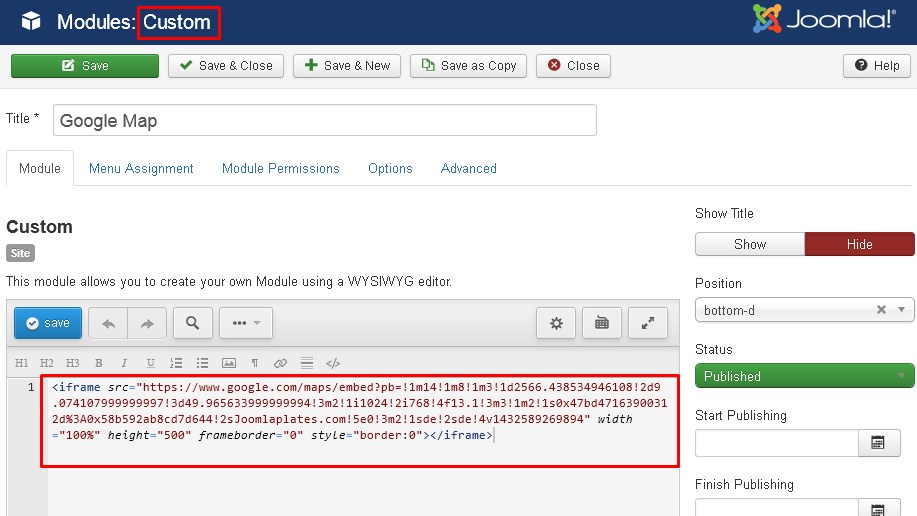
The Google map is a simple custom module.
- Go to Extensions » Modules Manager
- Click on New
- Select a Custom HTML module
- Click Source Code
- And insert the html code from the Google Map to the Custom Output field
And please make sure that you have insert a max-width of 100% like this:

Please make sure, that you have disabled the Joomla Content Editor ( Tiny or JCE), otherwise you html code be deleted or cleared by your Editor.
- Go to System » Global Configuration
- Default Editor = NONE
- Save